


The knowledge layer
for video
Turn hours of video into knowledge you can query.
Skryve captures what's shown on screen, not just what's said,
and lets you ask questions across every video you've saved.
200 free credits·No card needed
Drag to explore
Who it's for
Made for anyone who learns from video
Students
Lecture notes with the slides and diagrams kept
Researchers
Evidence and quotes from long talks, searchable later
Busy professionals
The point of a one-hour video in a few minutes
Shoppers
The verdict and the ranking without the 40-minute review
Creators
What audiences think, and the clips worth sharing
Cooks and makers
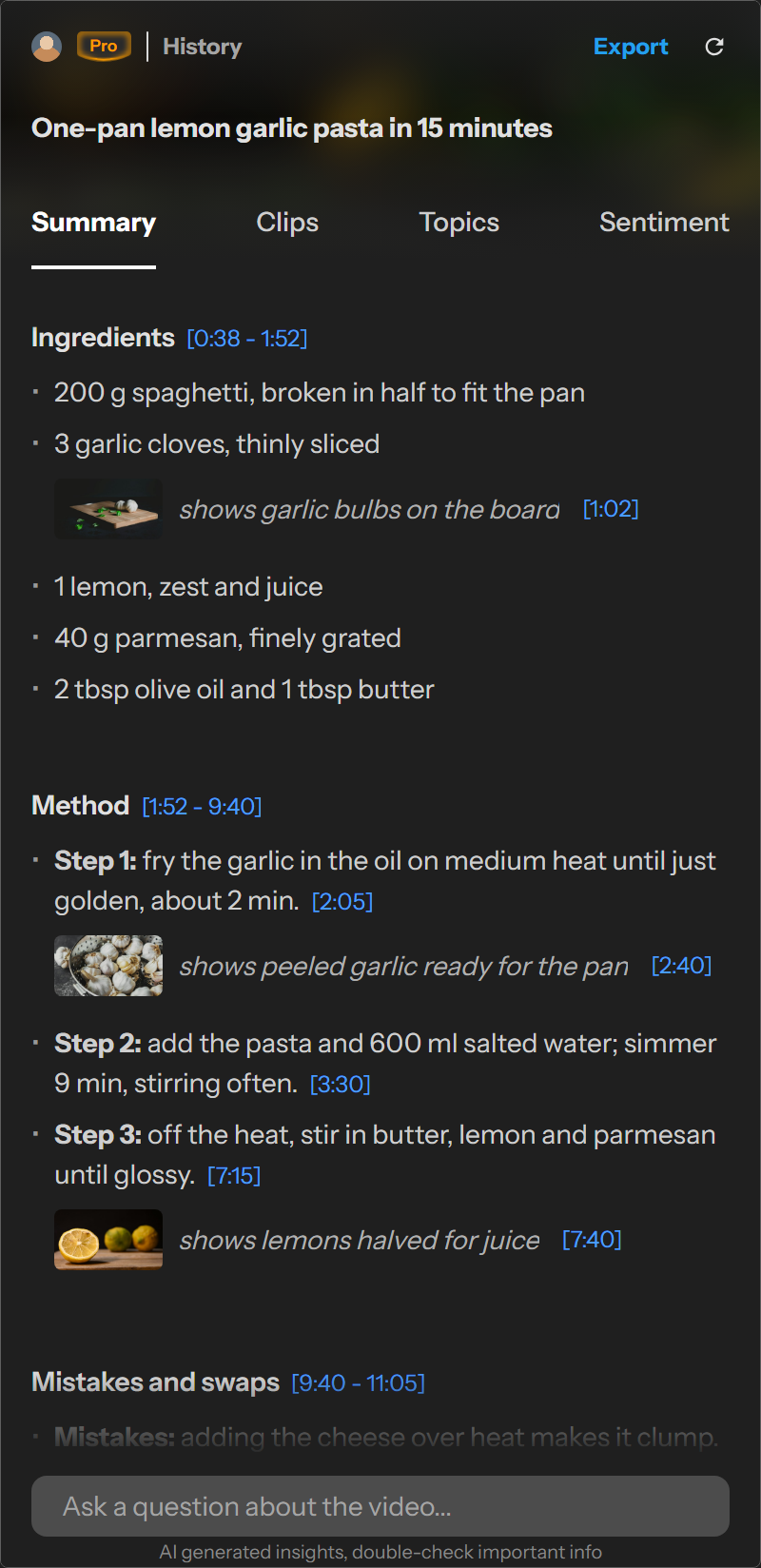
Recipes and builds as steps, with a frame for each
Features
Go beyond basic summaries
Visual summaries
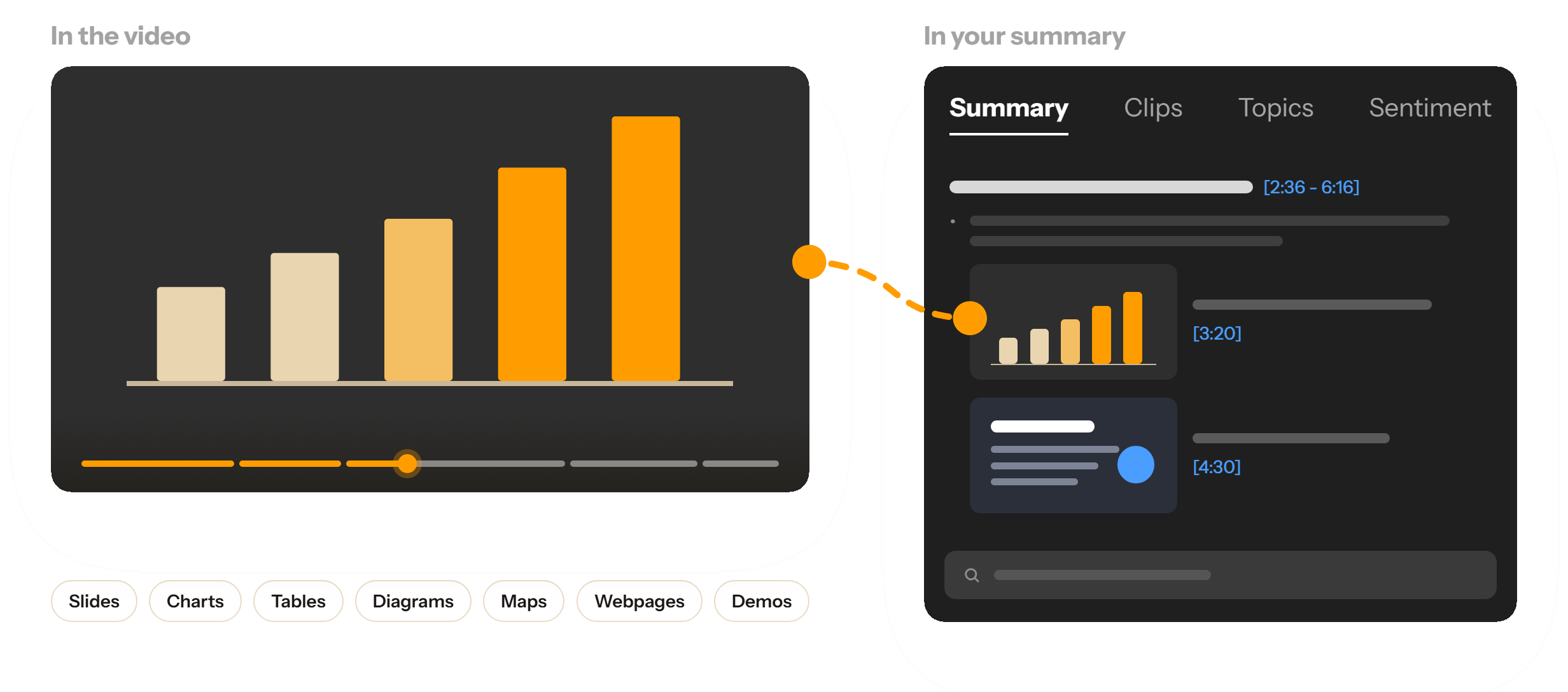
Catches what the transcript misses
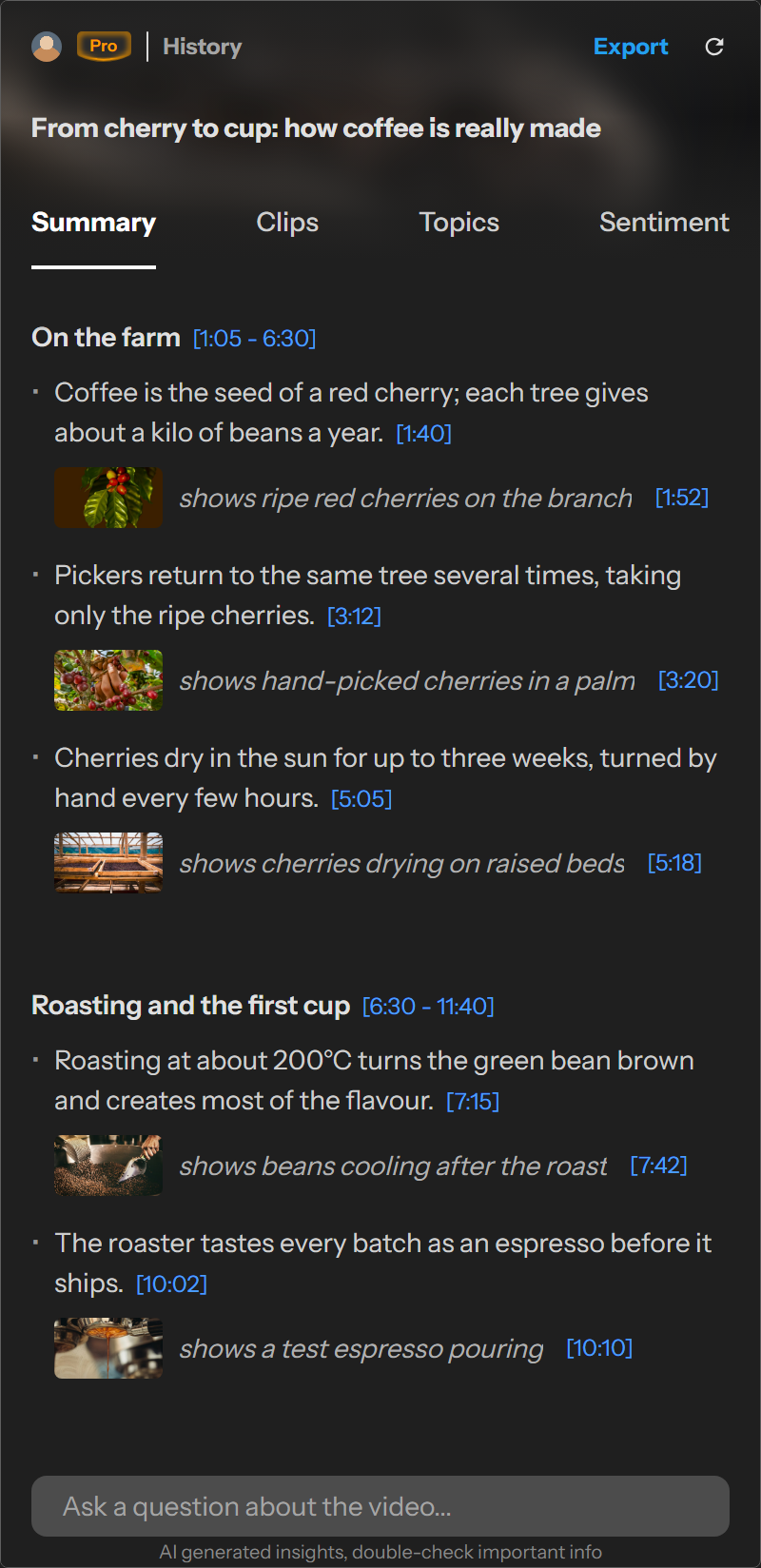
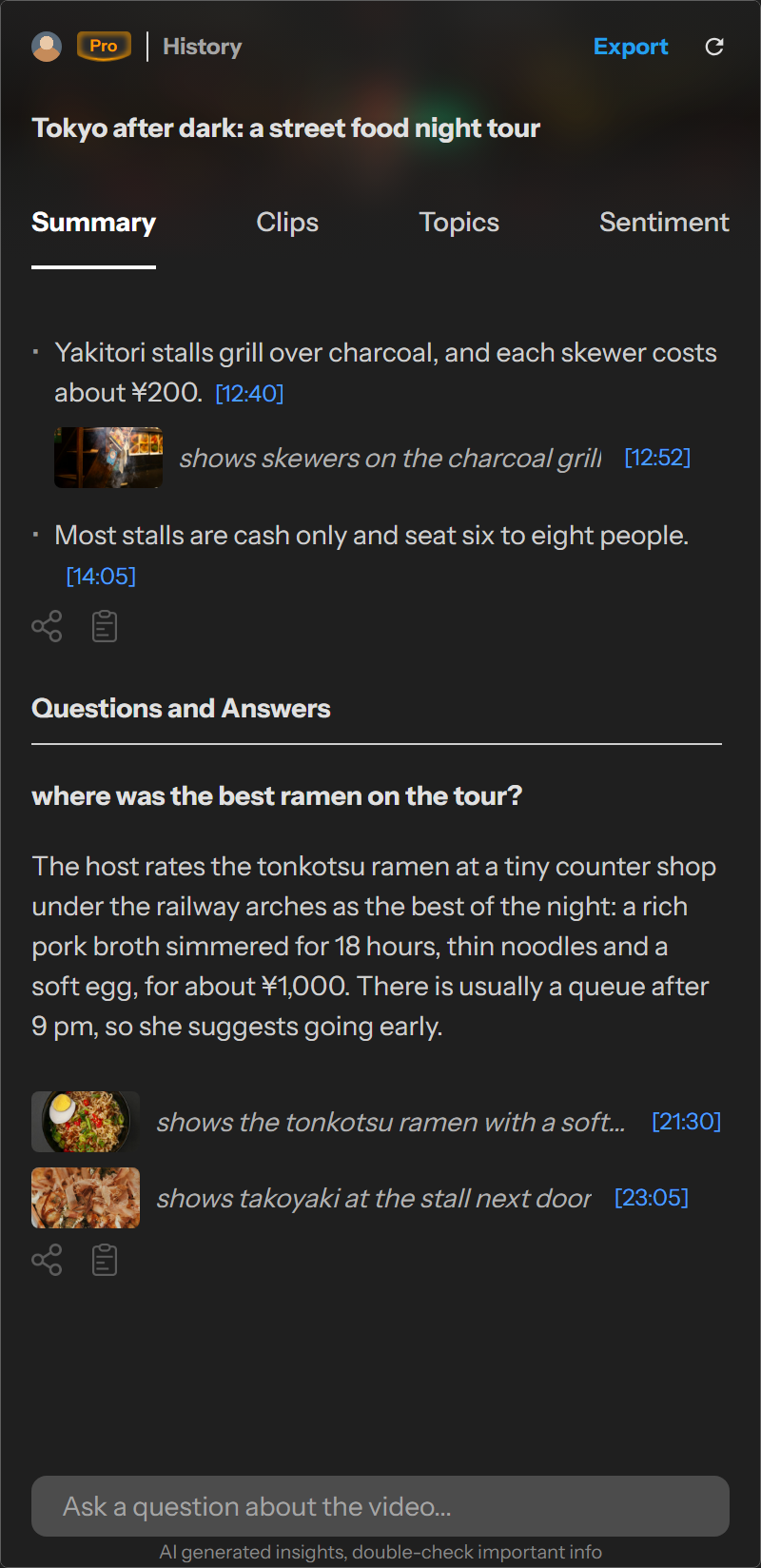
Skryve reads the video frames as well as the words, so charts, slides, tables and demos appear right under the points they illustrate.
- Frames with captions and timestamps
- Click any frame or timestamp to jump the video to that moment
- Sponsor reads and promotional material left out
Your video knowledge base
Turn everything you've watched into something new
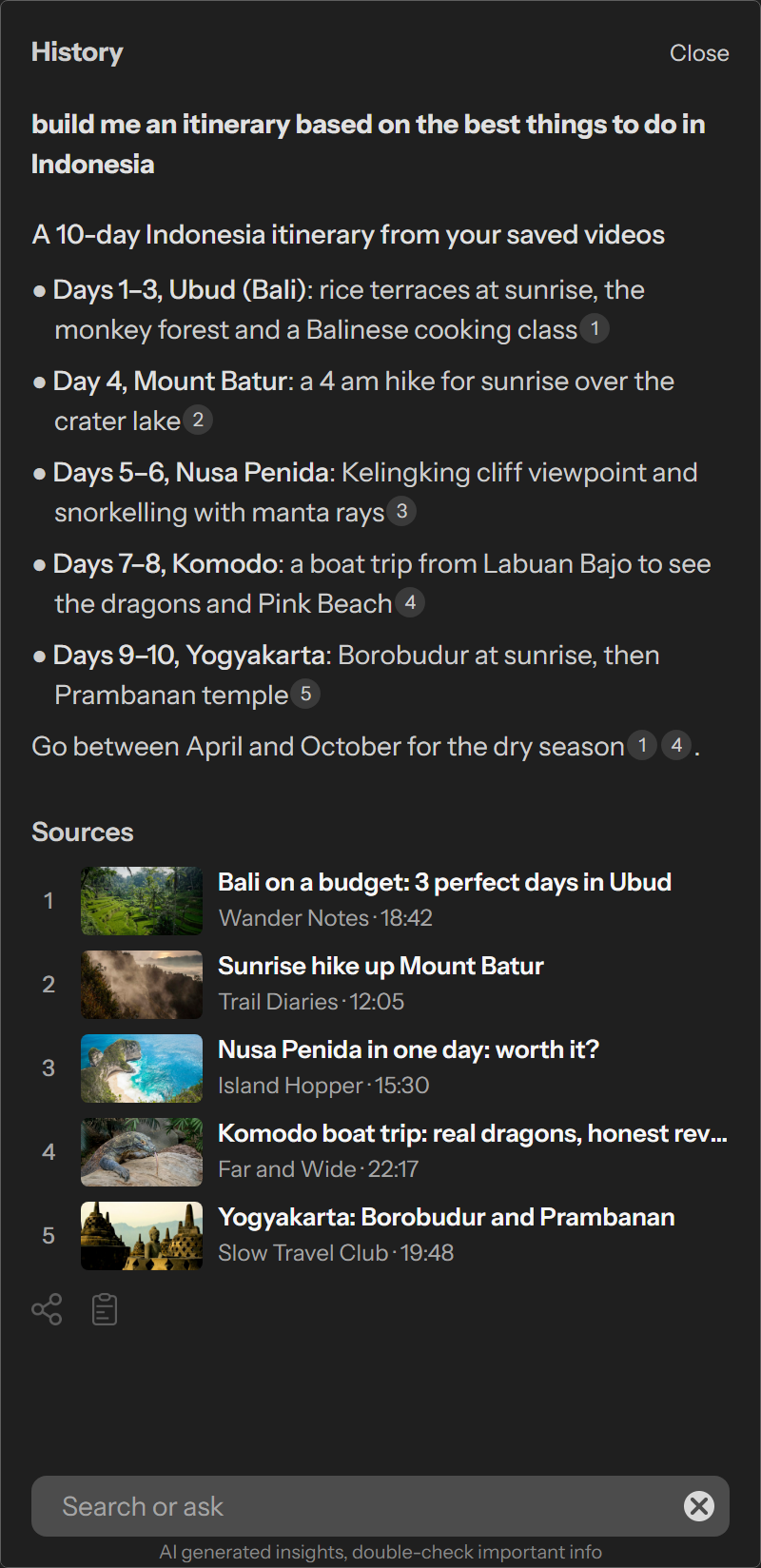
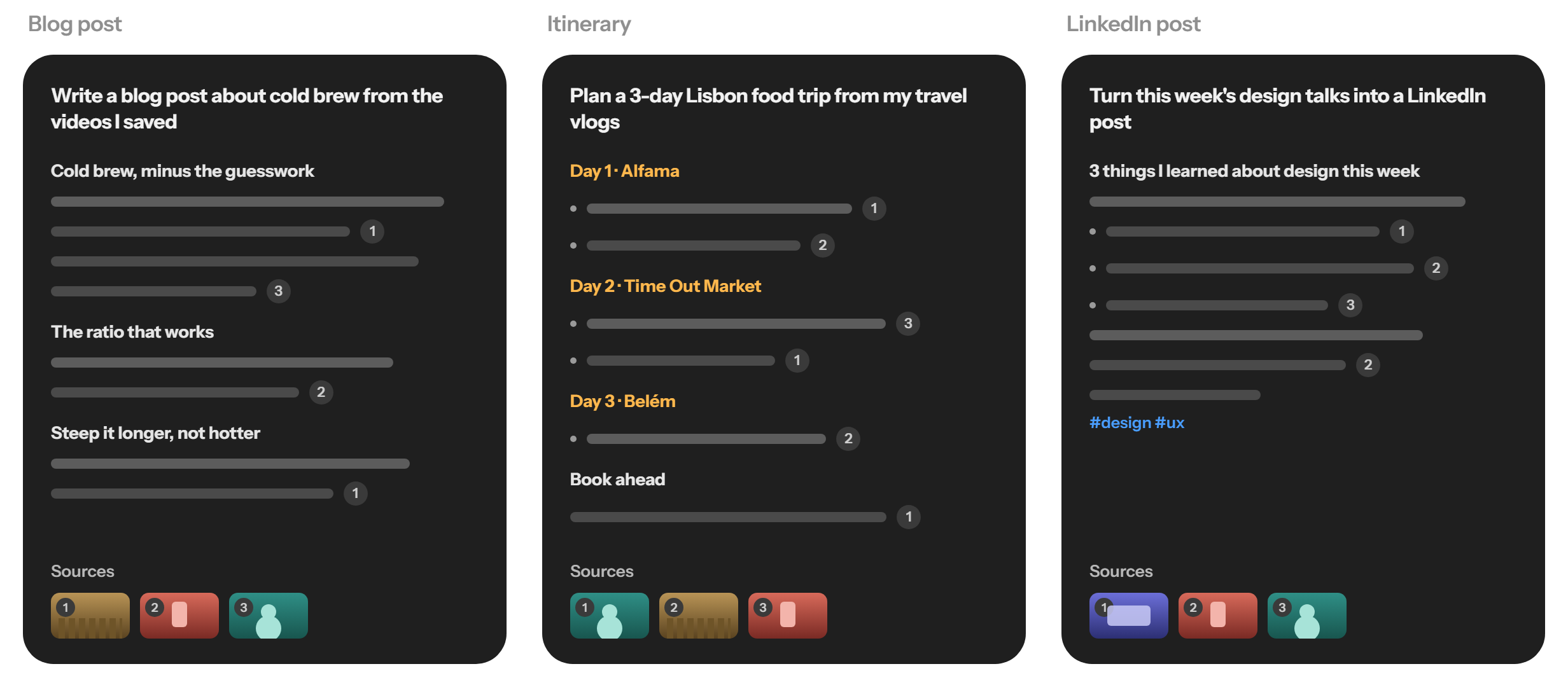
Ask across your whole library and get answers, plans, comparisons and drafts built from the videos you've saved, each with the source it came from.
- Plan a trip from the travel vlogs you saved
- Compare what every reviewer said
- Draft notes from a week of lectures
- Search by meaning and keywords, typos forgiven
Adaptive layouts
Layouts that adapt to the type of video
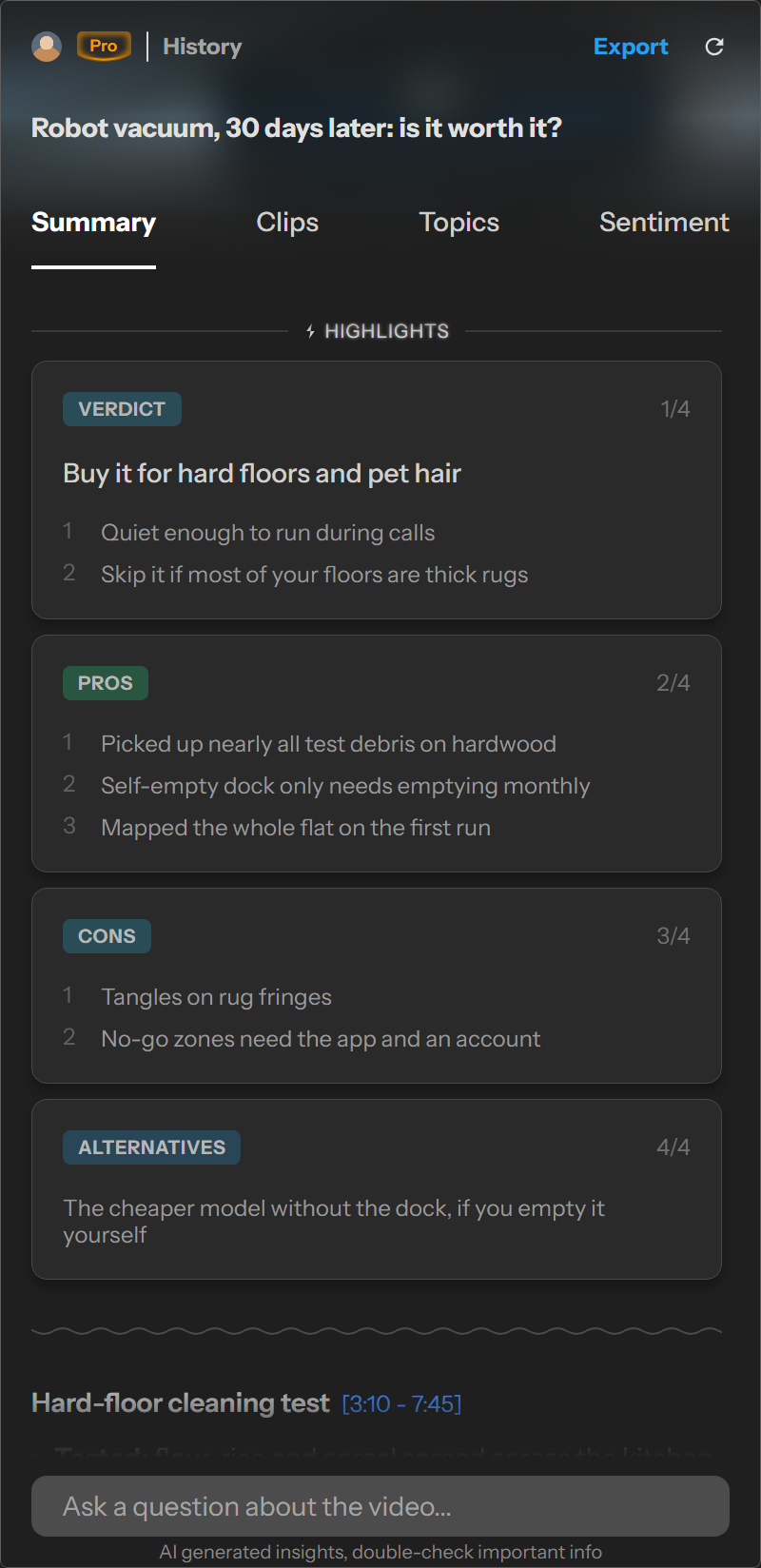
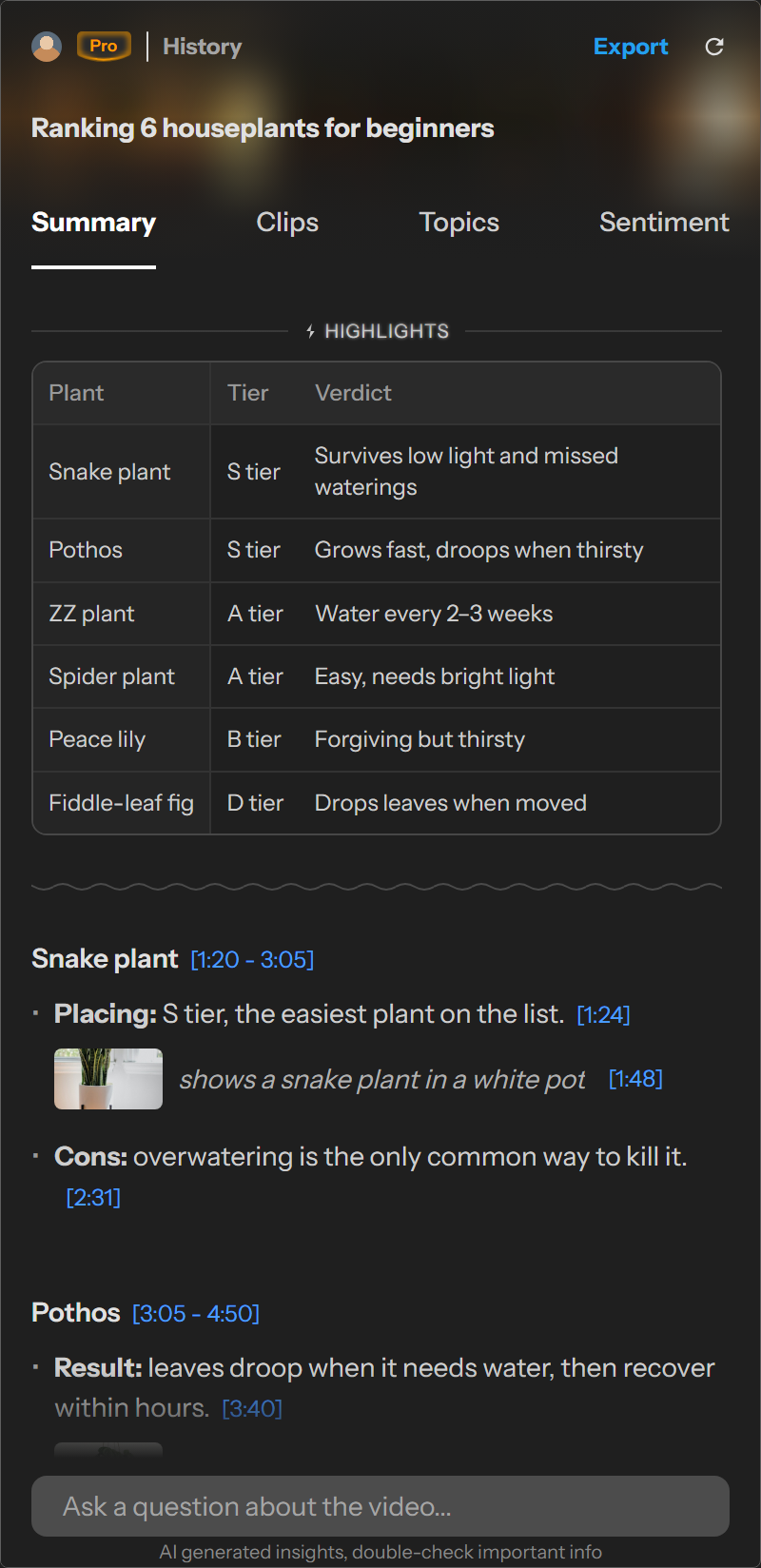
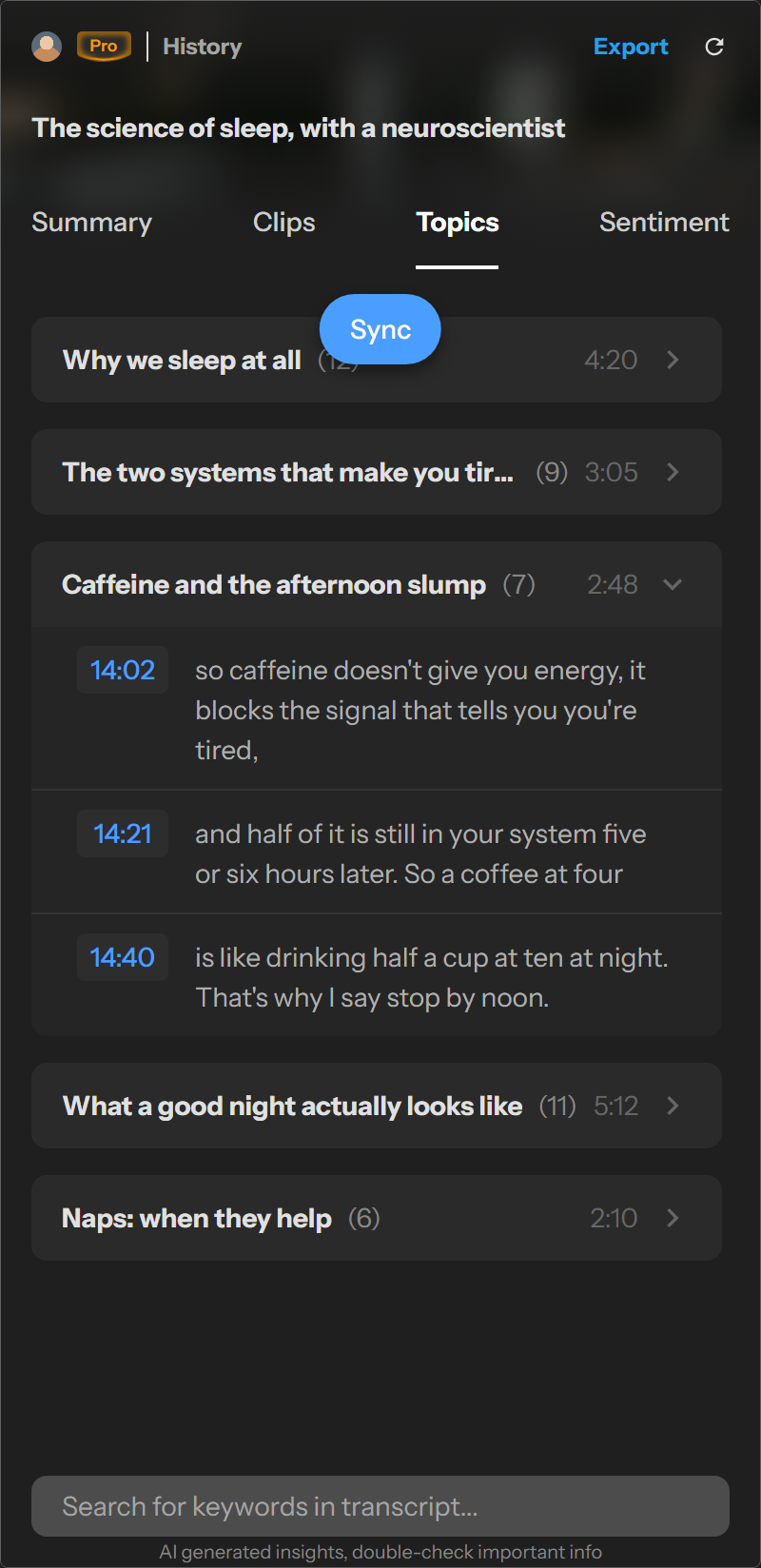
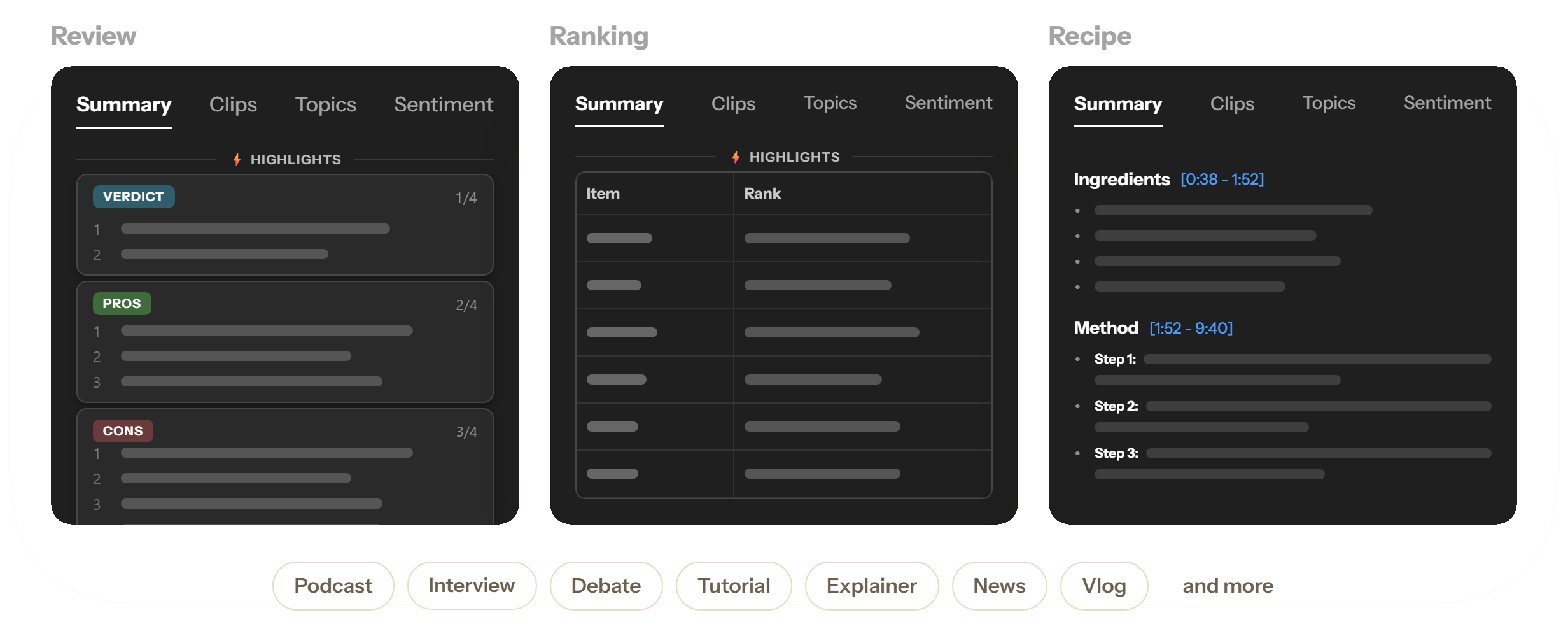
A review gets a verdict with pros and cons, a ranking gets a table, a recipe gets ingredients and steps. Debates, podcasts, lectures and news get their own layouts too.
- Highlights at the top, shaped to the video
- One section per idea, product, dish or step
- Uses the creator's own chapters when they exist
Key moments
Skip to the moments worth watching
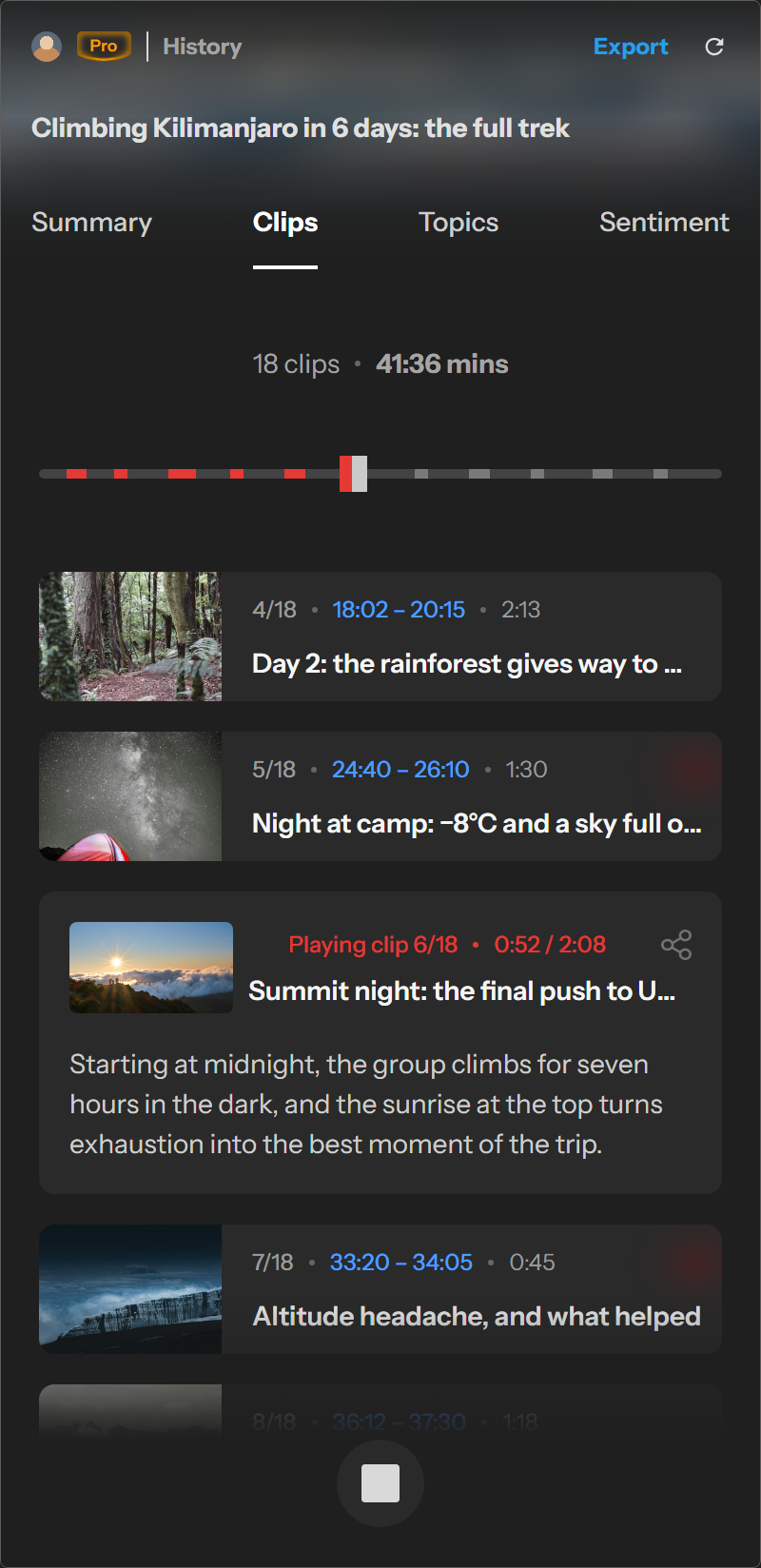
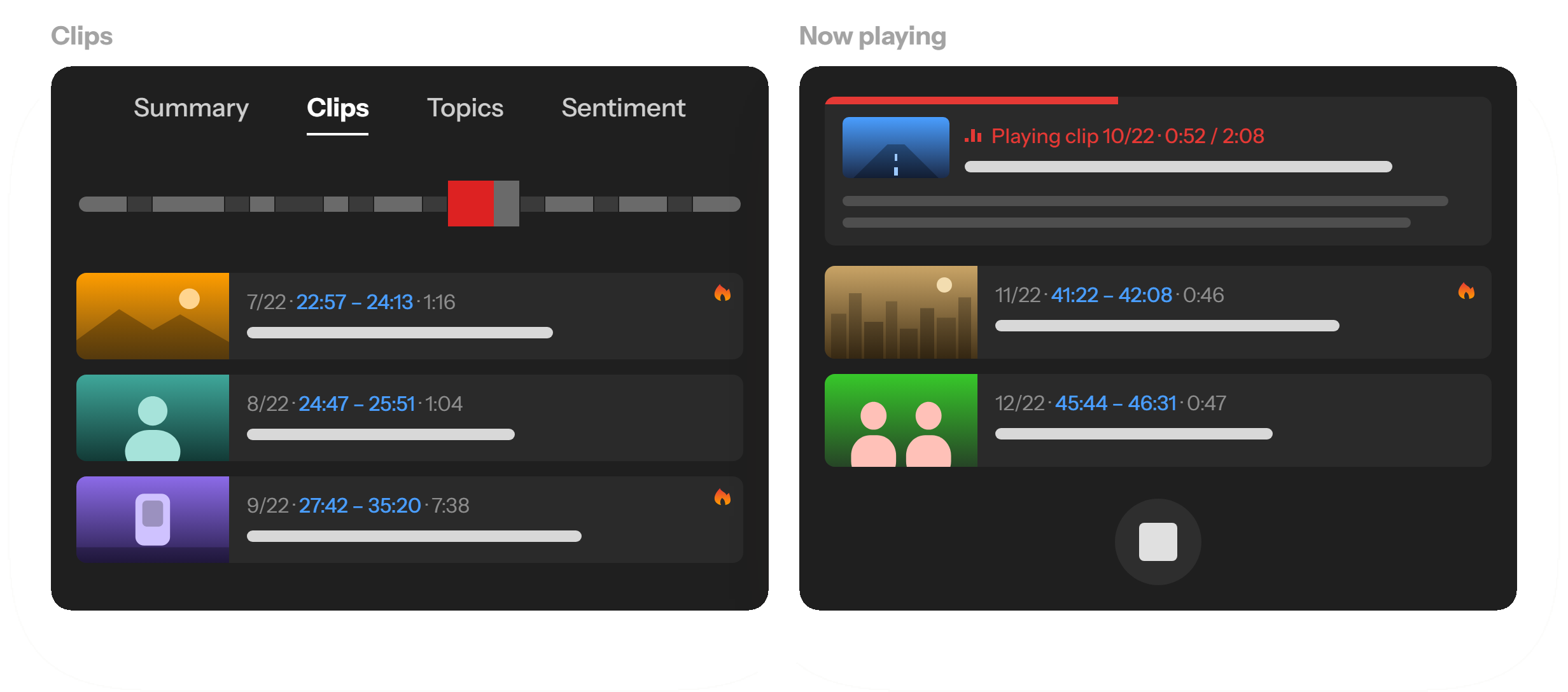
Skryve picks the video's strongest self-contained moments, with the option to autoplay them one after another, so an hour-long video becomes a few minutes of highlights.
- A timeline shows where each clip sits
- The hottest moments marked with 🔥
- Share a link that starts right at the clip
Chat, analyse, export
Ask the video anything
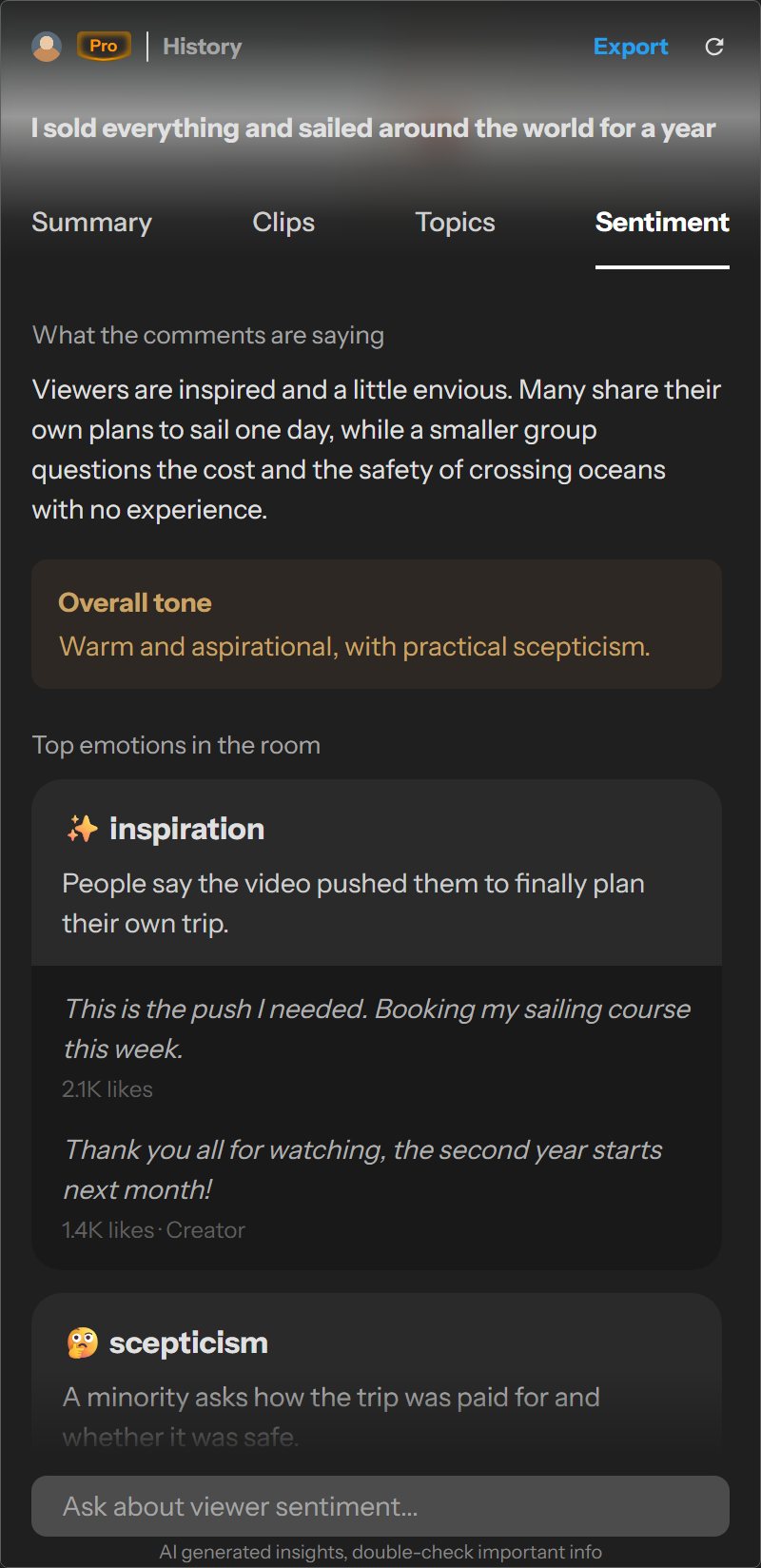
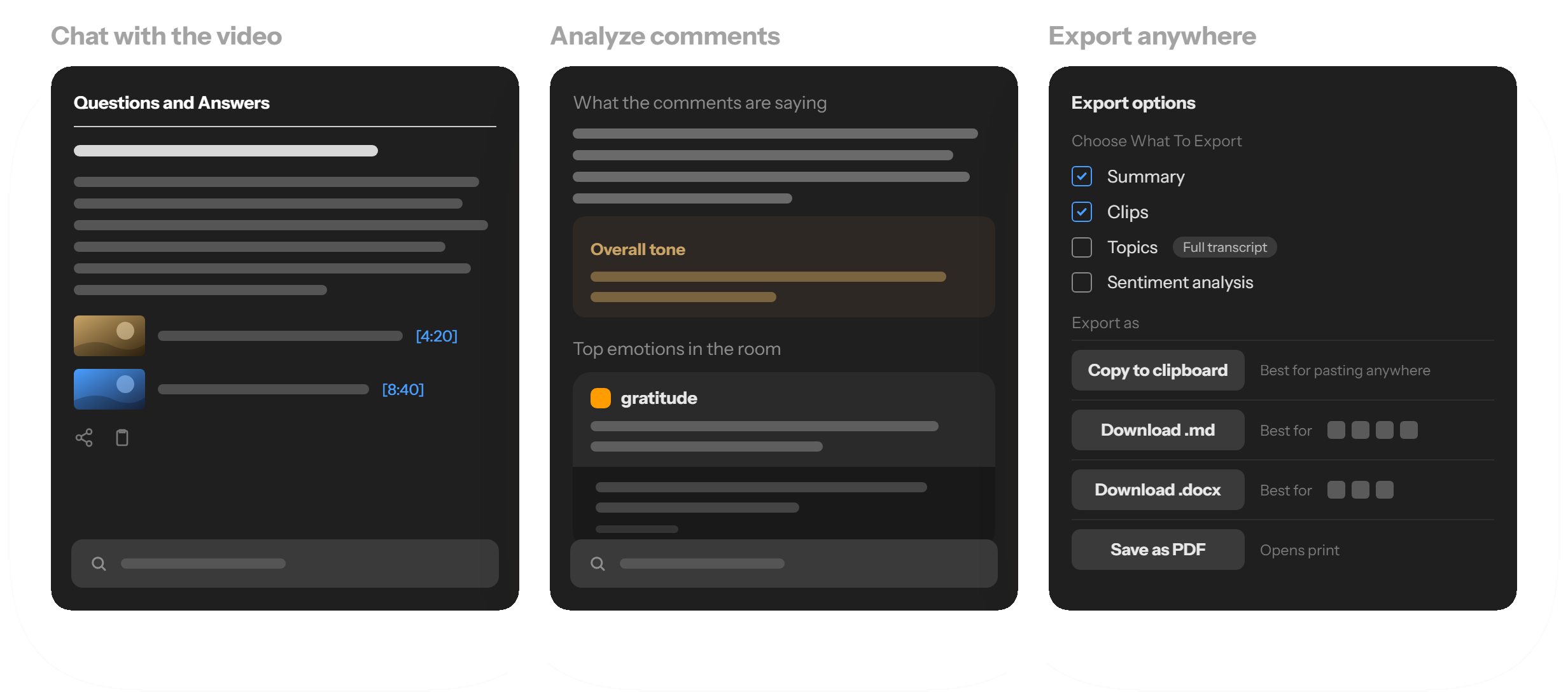
Ask questions and get answers with frames from the video. See what the comments really think. Export your notes in the format you already use.
- Answers grounded in what was said and shown
- Comment tone, top emotions and the split of opinion
- Markdown for Obsidian or Notion, Word, HTML or PDF
Compare
How Skryve compares
Plenty of tools can summarise what a video says. Here's where Skryve goes further, next to the ones people use most.
Right next to your content
Lives in Chrome's side panel beside the video. No copying links into another app, no switching tabs.
In sync with the player
Click any timestamp, frame, clip or transcript segment and the video jumps there. As it plays, the transcript stays in sync.
Searchable without switching
Every video you've watched is one search or question away, from the same panel, with sources that open at the moment.
| Skryve | YouTube Askon the watch page | NotebookLMGoogle | Glasp | Eightify | NoteGPT | Recall | |
|---|---|---|---|---|---|---|---|
| Works alongside the videoA panel that stays beside the player | ✓ | ✓ | Separate notebook app | ✓ | ✓ | ✓ | Extension + separate app |
| Insights linked to playbackPoints jump the video; the transcript follows as it plays | ✓ | — | — | Timestamps jump | Timestamps jump | Timestamps jump | Timestamps jump |
| Understands visual contentReads the picture, not only the transcript | ✓ | — | Transcript only for YouTube | — | — | — | — |
| Visual evidence embedded in summariesFrames added automatically under the point they show | ✓ | — | — | — | — | — | — |
| Auto-curated clips, with autoplay | ✓ | — | — | — | — | — | — |
| Comment sentiment | ✓ | — | — | — | Top comments overview | — | — |
| Searchable video knowledge libraryEvery video you analyse is saved automatically, searchable from the panel | ✓ | — | Separate app, within a notebook | Separate web app, saved highlights only | — | Separate web workspace, saved notes | Separate app, saved content |
| Ask questions across your video libraryFrom the panel beside the video | ✓ | — | Separate app, within a notebook | — | — | — | Separate app |
| Works on RumbleSummary, frames, clips, topics and history | ✓ | — | — | — | — | — | — |
Last checked October 2026. ✓ available · — not offered, or not found in the product's public documentation. Features reflect publicly documented plans; availability may vary by region and plan. YouTube is a trademark of Google LLC; NotebookLM, Glasp, Eightify, NoteGPT and Recall are trademarks of their owners. Skryve is not affiliated with any of them.
Pricing
Start free. Go Pro when it sticks.
Start with 200 free credits, about 16 hours of video, with every feature included. Upgrade when you're ready. See every feature by plan
Free
Everything Skryve does, to get you started.
No card needed
- 200 free credits, about 16 hours of video
- Every feature included
- Reopening saved videos is always free
- Your library stays yours
Pro
For people who learn from video every week.
Billed monthly. Cancel any time.
- 2,000 credits every month, about 166 hours of video
- Everything in Free
- Credits reset every month
- Cancel any time
What things cost: a video is 1 credit per 5 minutes, a question is 1 credit and a comment analysis is 6. Reopening a video in your library and searching your library are free. Local tax is added at checkout outside the UK, US and Canada.
FAQ
Questions, answered
What is Skryve?
Skryve is an AI video summarizer and knowledge base: a Chrome extension that opens in the browser's side panel on YouTube and Rumble. Press Extract insights and it writes a visual summary of the video, with frames, clips, topics and answers to your questions, and saves it to your library.
How is it different from other AI video tools?
It works right next to the video instead of in another app, it looks at what's on screen as well as the transcript, it talks to the player both ways, and everything you watch stays searchable from the same panel. See the comparison.
Which browsers and sites does it work on?
Google Chrome on desktop, on YouTube and Rumble video pages. Streams that are still live aren't supported. Videos need captions to work from, YouTube's automatic ones included, so a video without any can't be analysed.
How accurate are the summaries?
Summaries are written by AI. They are usually reliable but can miss or misstate things, including text and figures read off the screen, so every point has a timestamp you can check. Don't rely on them for medical, legal or financial decisions.
What do I get for free?
Every new account gets 200 free credits, about 16 hours of video, with every feature included. Videos already in your library always open for free.
How do I cancel Pro?
Any time, from Account → Manage subscription in the extension, or by emailing us. Pro keeps working until the end of the period you've paid for. See our refund and cancellation policy.
What happens to my data?
We store your account, your library and the summaries we generate. We don't sell your data or use your history to train AI models. Read the full privacy policy.
Is Skryve affiliated with YouTube?
No. Skryve is an independent product and is not affiliated with, endorsed or sponsored by YouTube, Google or Rumble.
Turn your next long video
into knowledge
Add Skryve to Chrome and get 200 free credits, about 16 hours of video.
Add to Chrome, it's free