Recall is one of the best-known "second brain" apps. You save articles, YouTube videos, PDFs and podcasts, Recall summarises them, and its web app links everything into a knowledge graph you can chat with and quiz yourself on.
Skryve is narrower and deeper. It's built for video: it reads what's said and what's shown on screen in YouTube and Rumble videos, keeps the summary right next to the video in your browser, and saves every video to a library you can search and ask questions across.
Both are good tools. They're built for different jobs, and if video is how you learn, the differences matter. Here's an honest comparison.
What is Recall?
Recall (recall.it, formerly getrecall.ai) is an AI knowledge base. Its browser extension, for Chrome, Firefox, Safari and Edge, captures and summarises what you're looking at: a YouTube video, an article, a PDF, a podcast. Each save becomes a "card".
The knowledge base itself lives in Recall's web app and mobile apps. That's where your cards are organised with tags, linked in a graph, turned into quizzes with spaced repetition, read aloud with Listen Mode, and searched through chat with your own knowledge, the web, or both.
For YouTube, Recall works from the transcript: it uses the video's captions, or transcribes the audio itself when there are none. According to Recall, that covers videos of up to 10 hours with captions and up to 5 hours without.
What is Skryve?
Skryve is an AI video summarizer and personal knowledge base for YouTube and Rumble. It opens in Chrome's side panel, next to the video you're watching, and everything happens there.
It reads the transcript and samples the video's frames, so charts, slides, code, products and demos shown on screen appear in the summary with the frame attached. Every point links to its moment in the video. The summary takes a layout that fits the type of video (a review becomes a verdict with pros and cons, a recipe becomes steps, a ranking becomes a table), and Skryve picks out the key clips and analyses the comments.
Every video you summarise is saved to your library automatically. You can search it, ask questions across all your videos, or draft a post or an article from them, with the source videos cited, without leaving the side panel.
Skryve vs Recall: feature comparison
| Feature | Skryve | Recall |
|---|---|---|
| Summarise YouTube videos | Yes | Yes |
| Summarise Rumble videos | Yes | No |
| Reads what's shown on screen (frames) | Yes | No (transcript and audio) |
| Video frames shown inside the summary | Yes | No |
| Clickable timestamps | Yes | Yes |
| Layout that fits the type of video | Yes | No (same format for every video) |
| Key moments picked as playable clips | Yes | No |
| Comment sentiment analysis | Yes | No |
| Library, search and cross-video questions next to the video | Yes (all in the side panel) | No (in a separate web app) |
| Draft posts and articles from your videos, with sources | Yes | Yes (chat) |
| Works on videos without captions | No | Yes (transcribes the audio) |
| Articles, PDFs, podcasts, TikTok | Not yet (on the roadmap) | Yes |
| Knowledge graph | No | Yes |
| Quizzes and spaced repetition | No | Yes (paid plans) |
| Listen Mode (text to speech) | No | Yes (paid plans) |
| Mobile apps | No (Chrome on desktop) | Yes (iOS and Android) |
| Export | Markdown, Word, HTML, PDF | Markdown (from the web app) |
| Free plan | 200 free credits to start | 10 AI summaries a month |
| Paid plan | Pro, $8 a month | Plus from $10 a month (billed yearly); Max from $38 |
Comparison of built-in features as of November 2026. Recall's details come from its own pricing page, help pages and release notes.
1. The biggest difference: Skryve reads the video, not just the transcript
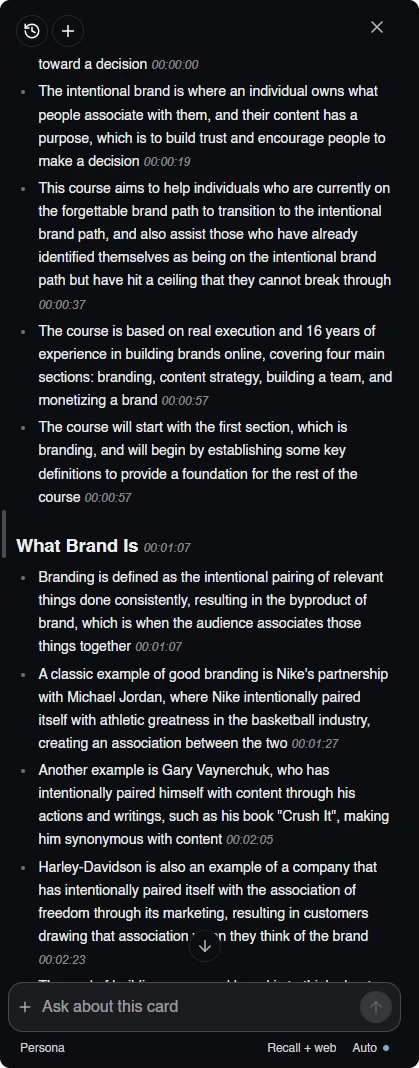
Recall builds its video summaries from words: the captions, or a transcription of the audio. That works well for talks and podcasts, where everything important is said out loud.
But a lot of videos show what matters. A presenter puts a framework on a slide. A reviewer shows a spec table. A tutorial demonstrates a process on screen without describing every step. A transcript-based summary can only capture what was said about those things, not the things themselves.
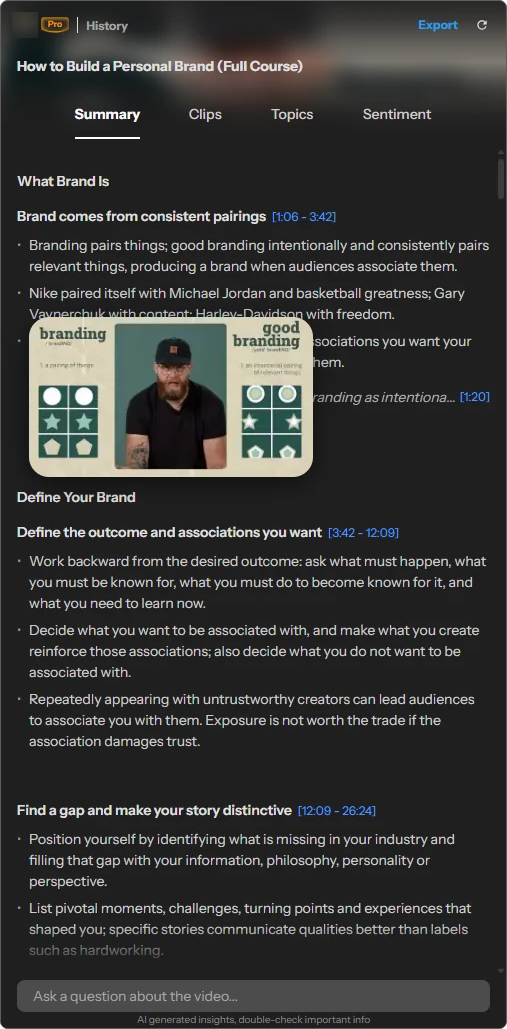
Skryve samples the video's frames as well as the transcript. When something on screen matters, the frame appears in the summary next to the point it belongs to, with a timestamp that jumps back to that moment. Hover any frame to enlarge it.
Here's the same video, a branding course, at the same moment in both tools:
Recall
Text summary · timestamps · no frames
Skryve
Summary with frames · clickable timestamps
2. Two very different second brains
Both tools keep what you've learned so you can come back to it. They do it in opposite ways: Recall builds a map of everything you save, on its own website. Skryve keeps a library of your videos next to the video you're watching and answers questions across it.
Recall: cards, connections and a graph, in a separate app
Recall's browser extension is mainly for capturing. It summarises the page in the side panel and lets you ask about that one card. Everything else happens in Recall's web app and mobile apps, where each save becomes a card with tabs for the summary, chat, the full text, a quiz, connections and a graph.
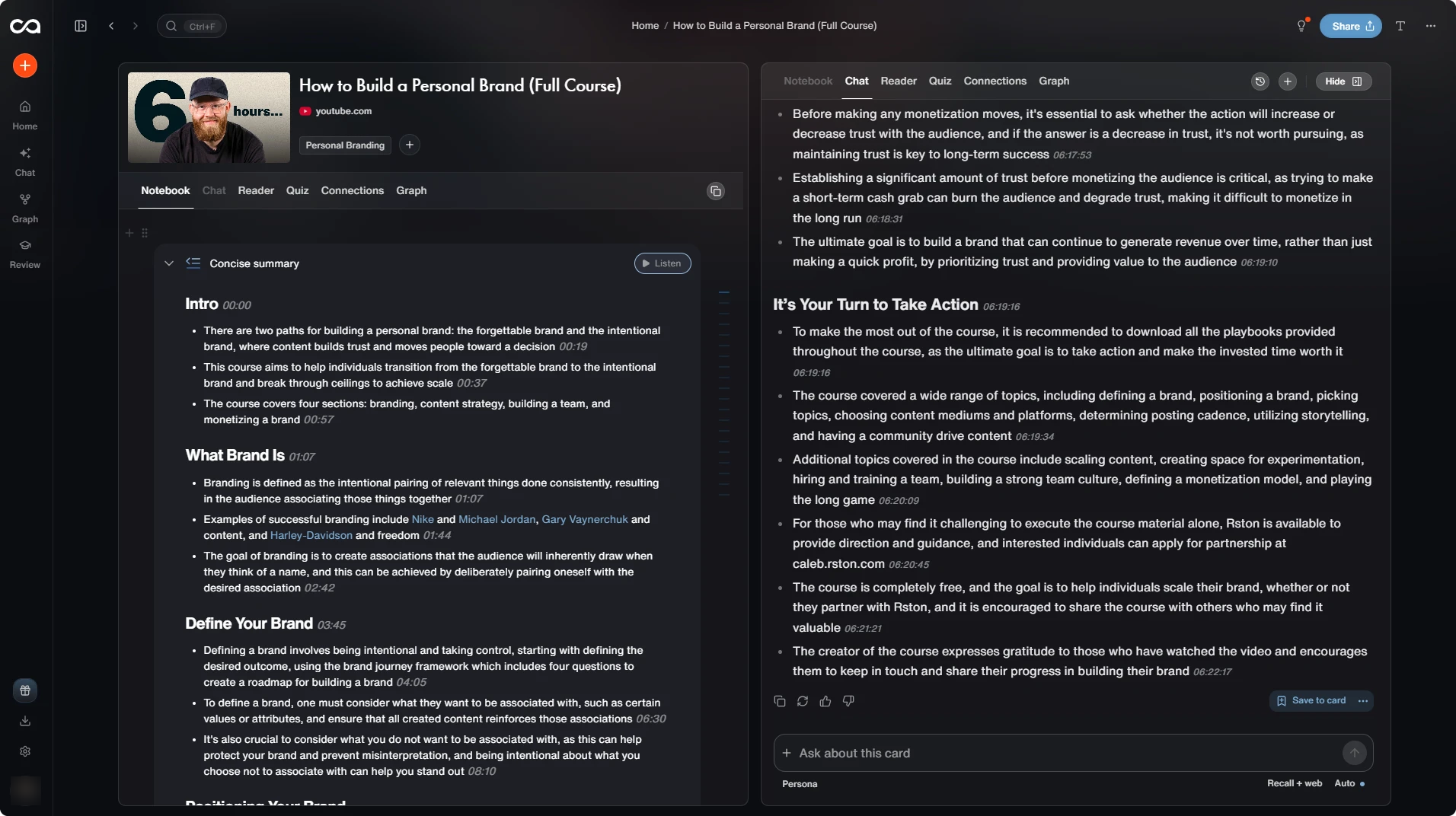
Connections are made by AI. Recall picks out the named things in each card (people, companies, websites, books, bands) and links cards that mention the same ones.
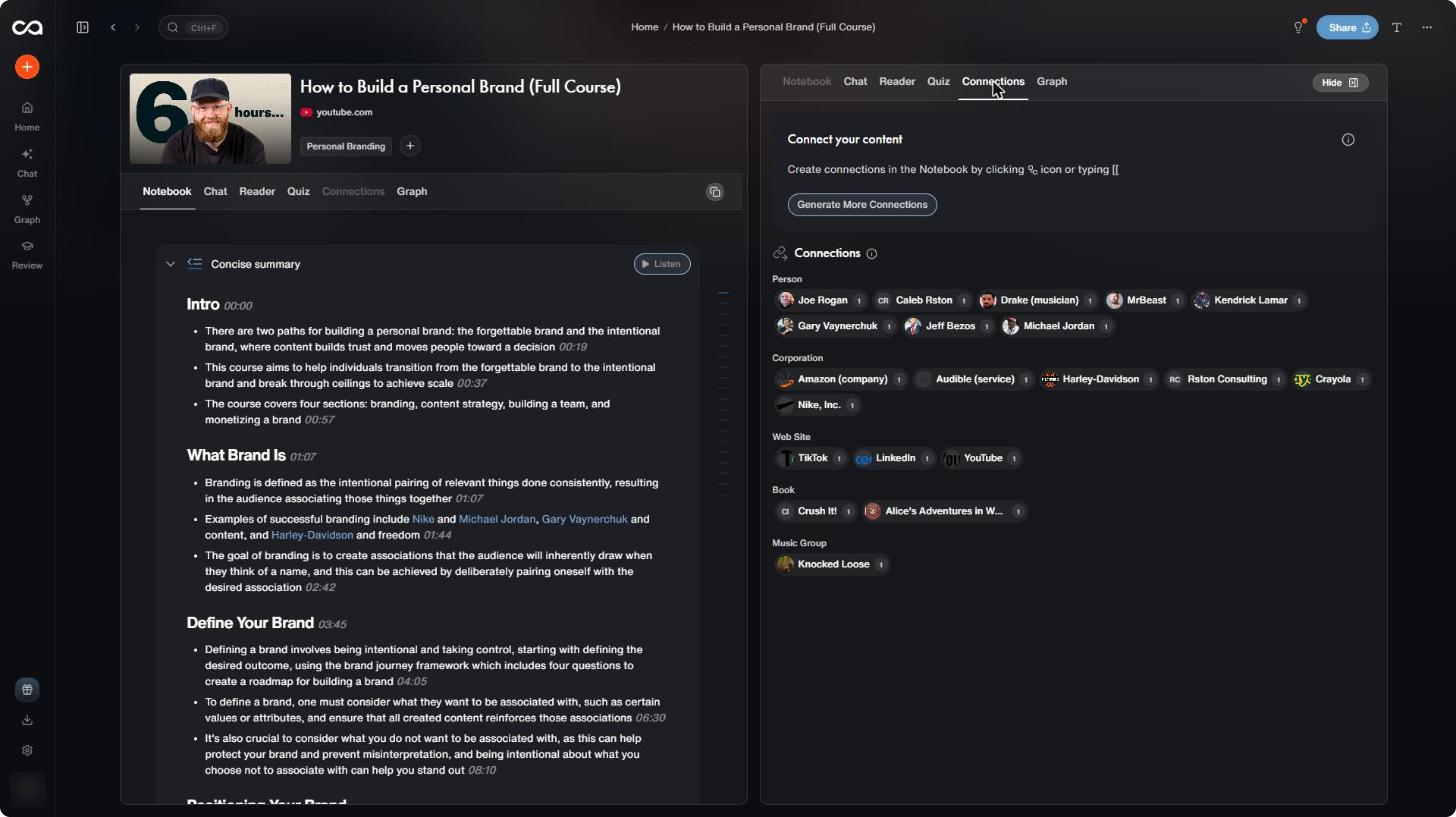
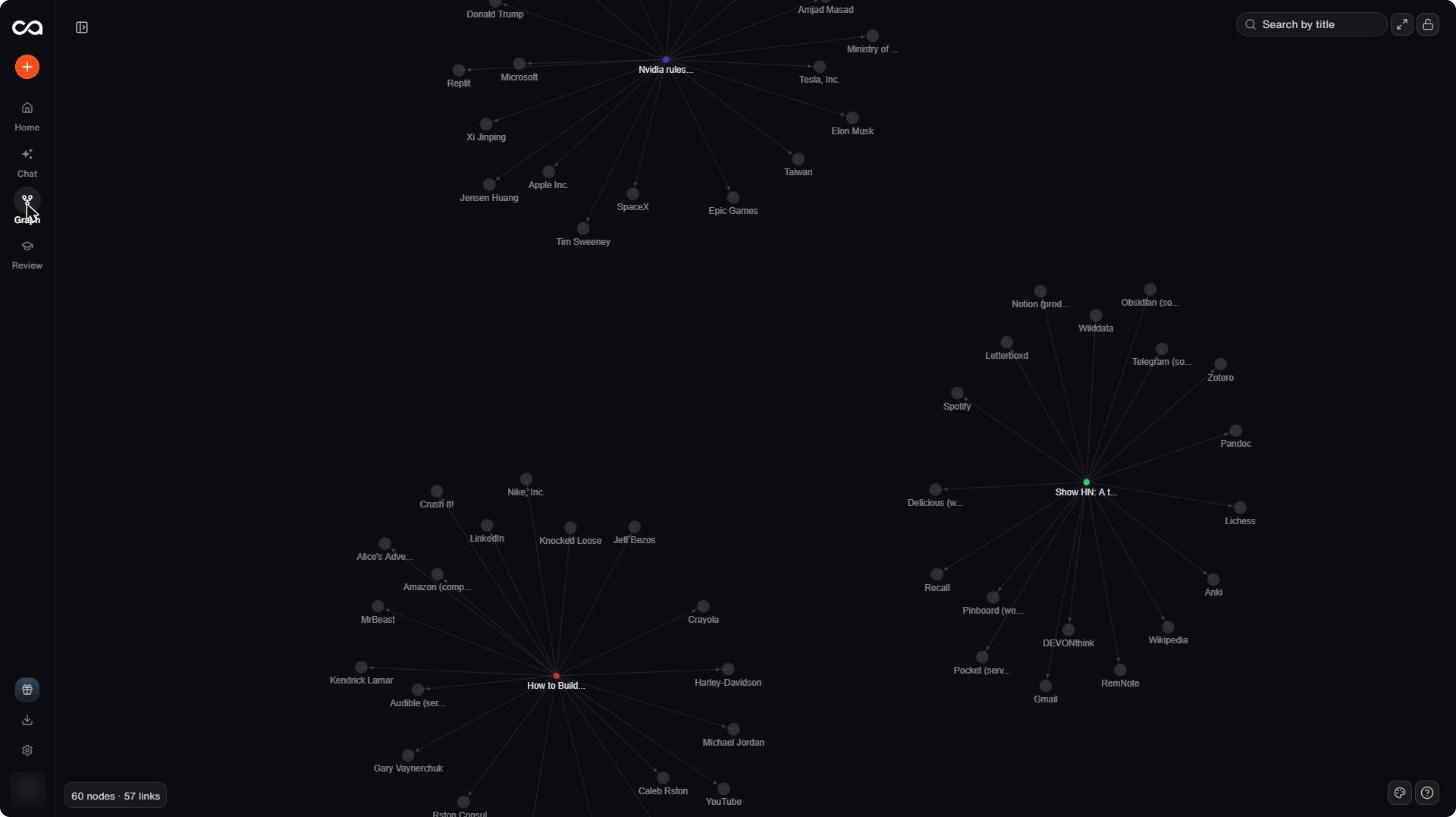
The graph draws those links. We saved three unrelated items (the branding course, a news story and a Hacker News post) and got 60 nodes and 57 links: three separate stars, each card surrounded by the names it mentioned. That's how the graph is meant to work; it joins cards only when they share a name. Two things stood out:
- It maps names, not ideas. The course's main ideas, like "branding is the intentional pairing of relevant things", aren't in the graph. Nike, MrBeast and Joe Rogan are.
- It inherits transcript errors. The course's own presenter appears as "Caleb Rston", spelled the way the transcript heard him, along with a "Rston Consulting".
On paid plans, Recall adds the learning tools: quizzes generated from your cards, spaced repetition to review them, and chat across your knowledge, the web or both.
Skryve: ask your videos, right next to the video
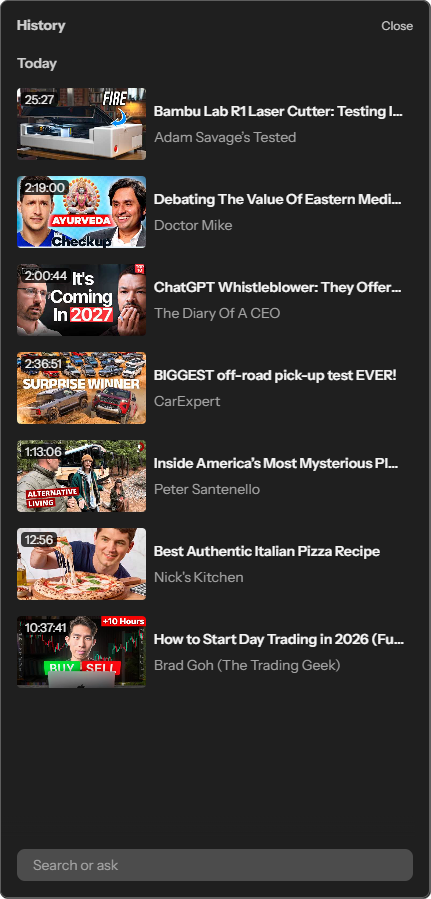
Skryve has no graph. Every video you summarise goes into your library automatically, in the same side panel as the video. One box at the bottom does two jobs: type a few words to search your videos, or ask a question and Skryve answers it from the passages of your own videos that are relevant, with numbered sources that jump to the exact moment.
Your library
Every video saved as you watch
Ask across it
One answer from three different videos
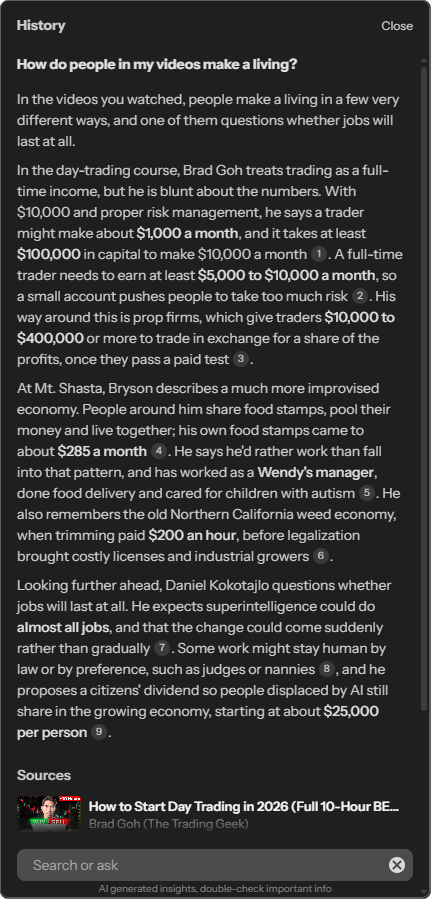
The connections are made when you ask, not in advance. Ask "how do people in my videos make a living?" and Skryve finds the relevant passages in a day-trading course, a travel vlog and a podcast, and writes one answer citing all three. Ask it to draft a LinkedIn post or a blog post from your videos and it does the same.
So the difference is simple. Recall gives you a map to browse and quizzes to review. Skryve gives you an answer to a question, built from your own videos and linked back to the moments they came from, without leaving the page you're on.
Do knowledge graphs actually help?
Graphs look impressive. Whether they help you learn or find things is a different question, and the evidence is worth a look:
- Concept maps help, but they're not the same thing. Two large meta-analyses found that learning with concept maps (diagrams that link ideas with labelled relationships) beats most other study activities, with a medium overall effect (Nesbit and Adesope, 2006; Schroeder and colleagues, 142 effect sizes). But those maps connect ideas, and the benefit is largest when learners build them themselves. A graph of the names mentioned in your saves, drawn by AI, is a different thing.
- Personal knowledge graphs have little evidence either way. A 2022 article on research workflows notes they're "too new to have a body of evidence associated with them" (Pyne and Stewart, British Journal of General Practice).
- Users are split. In a long Obsidian forum thread about graph view, replies divide roughly evenly (Obsidian forum). Skeptics call it a "hey look at this" feature that turns into a hairball as notes grow, and say filtering it takes more time than it saves. Fans get value from a filtered view of one note's neighbours, or from spotting notes that aren't linked to anything.
The takeaway: a graph can be a pleasant way to browse what you've saved, but there's little evidence that an automatic map of names helps you learn or find things. Skryve skips the graph and lets you ask your videos directly, with every answer linked back to its source.
3. A layout that fits the video
Recall gives every video the same treatment: a summary split into sections, with bullet points under each.
Skryve picks a layout for the kind of video. A product review opens with a verdict, pros, cons and alternatives. A ranking becomes a table. A recipe becomes ingredients and numbered steps. A debate shows each side's arguments and where they agree. A lecture becomes structured notes, section by section.
The result reads less like a transcript condensed into bullets and more like notes a person would take for that kind of video.
4. Built-in video tools Recall doesn't have
Because Skryve only does video, it has tools a general knowledge app doesn't:
- Key clips: Skryve picks the moments worth watching and turns them into short clips you can play one after another or share.
- Comment analysis: it reads up to 100 comments and shows the overall tone, the main emotions and the split of opinion, with quoted comments as evidence. On reviews and tutorials, the comments often hold the corrections and real-world experience the video leaves out.
- Transcript search: find any word in the video and jump straight to it.
- Rumble: everything works on Rumble videos as well as YouTube.
5. What people dislike about Recall
Recall has plenty of happy users, and its reviews are mostly positive. These are the complaints that come up most often:
- The free plan stops at 10 summaries a month. Several reviewers were surprised to find that after 10 AI summaries, new saves no longer get a summary, tags or connections, and they're asked to upgrade. Recall's team has said the limit exists because AI processing is expensive and that it could be made clearer.
- Imports are a paid feature. People moving from Pocket found that only the first 10 bookmarks import on the free plan.
- Chat can pull in the wrong things. A week-long review by XDA Developers found that Recall struggles with deep, narrow questions because it brings in older, loosely related saves, and that follow-up questions feel clunky compared with NotebookLM.
- Connections aren't always relevant. The same review found links between saves that had little to do with each other.
- Quizzes are multiple choice only.
- Prices went up. Recall raised its Plus plan in April 2026 and added a Max plan for $38 a month, billed yearly.
None of these are dealbreakers if you want a second brain for everything you read. They matter more if what you mainly want is to learn from videos.
6. Where Recall is better
A fair comparison should be clear about what Recall does that Skryve doesn't:
- It saves everything. Articles, PDFs, podcasts, TikTok, X and Reddit, not only video. Skryve is video only for now; articles, PDFs, web pages and TikTok are on Skryve's roadmap.
- It works on videos without captions. Recall transcribes the audio; Skryve needs captions (YouTube's automatic captions are enough).
- Learning tools. The knowledge graph, quizzes with spaced repetition, and Listen Mode have no Skryve equivalent.
- More places. Mobile apps for iOS and Android, extensions for four browsers, and an API and MCP for connecting other AI tools.
- A free plan that renews. 10 AI summaries every month, where Skryve gives 200 credits once.
7. Can you use both?
Yes. Many people will.
Use Recall as the home for everything you read, and Skryve for what you watch. Skryve gives you the deeper, visual summary next to the video, plus clips and comments. When you want a video's notes in your wider knowledge base, export them from Skryve as Markdown, Word, HTML or PDF; the HTML and PDF versions keep the frames, each with its description and timestamp.
Skryve vs Recall: which should you choose?
Choose Recall if:
- you want one place for articles, PDFs, podcasts and videos;
- you learn by reviewing: quizzes, spaced repetition and a knowledge graph;
- you want mobile apps and a separate app to review in;
- your videos are mostly talks and podcasts, where everything is said out loud.
Choose Skryve if:
- most of what you learn comes from YouTube or Rumble videos;
- your videos show things on screen: slides, charts, products, code, demos;
- you want the summary, your library and your questions right next to the video, not in another app;
- you want a summary shaped for the kind of video, plus key clips and comment analysis;
- you want to search and ask across everything you've watched, and draft from it with sources.
The bottom line
Recall is a strong second brain for everything you read and save. Its video support is one part of a much wider product, and it works from what's said.
Skryve does one thing in depth: it turns the videos you watch into knowledge, from what's said and what's shown, without leaving the page you're watching.
If video is a big part of how you learn, try the live demo without installing anything, or add Skryve to Chrome for free.
Skryve is an independent product and is not affiliated with Recall. Product details checked in November 2026; sources: Recall pricing, Recall: how it summarises YouTube videos, Recall 2.0 release notes, Recall docs: exporting Markdown, XDA Developers review, Firefox add-on reviews.